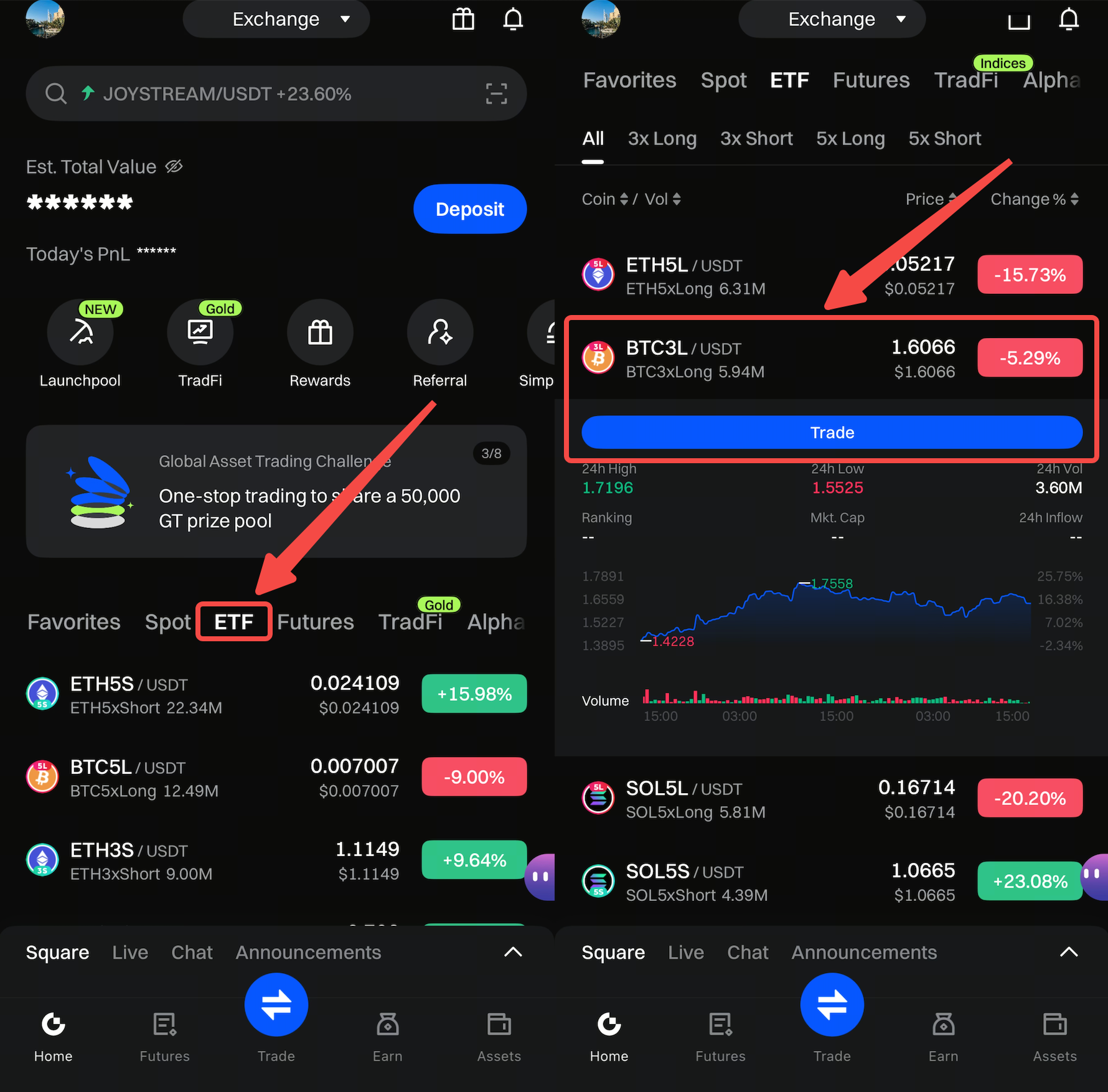
Step 1: Open the Gate APP, tap the [ETF] tab on the homepage, swipe up to browse, and click [Trade] on your chosen trading pair to enter the [ETF Trading Page].
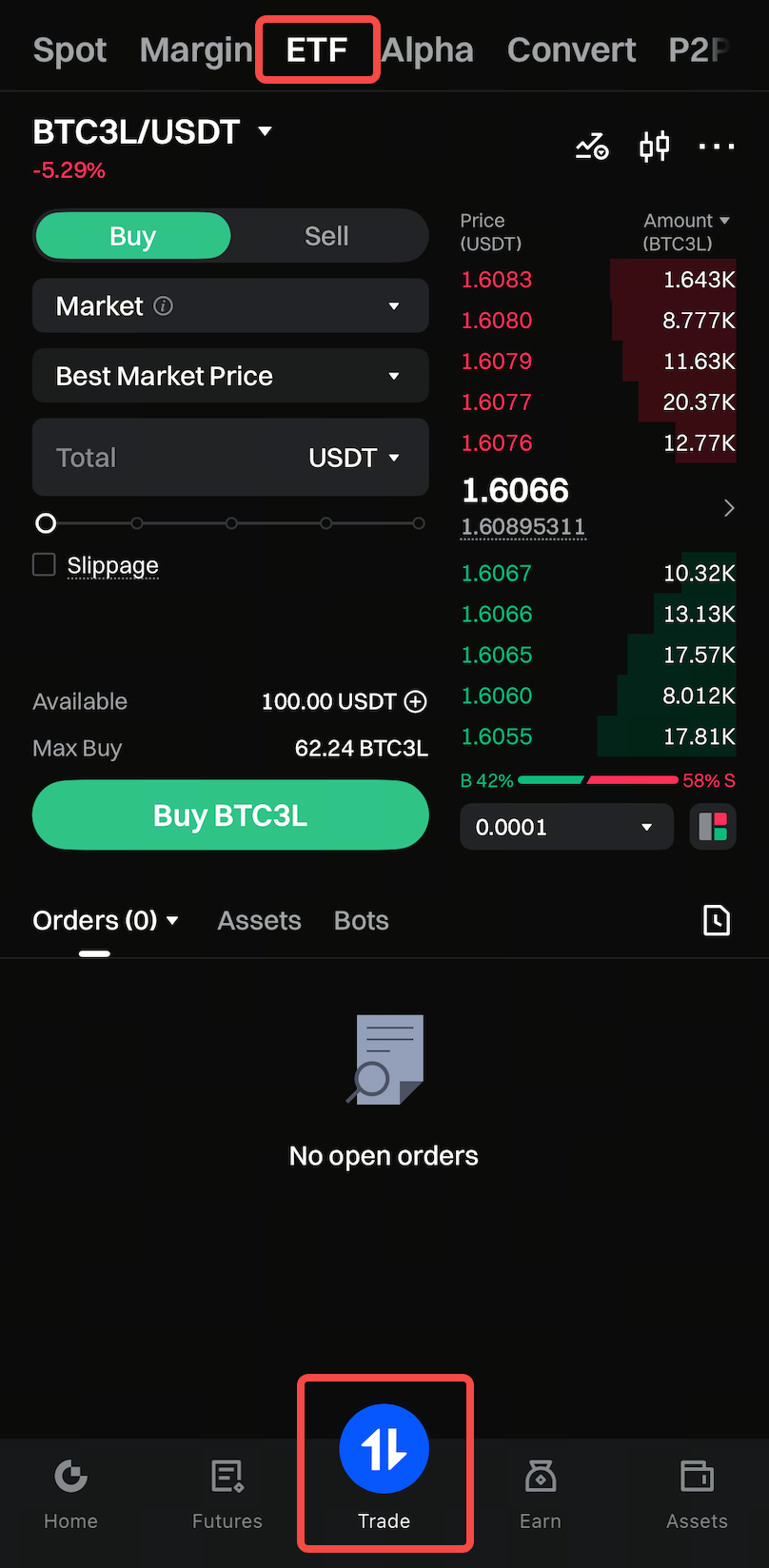
Alternatively, tap [Trade] directly. Once on the trading page, select the [ETF] tab to start trading ETFs.
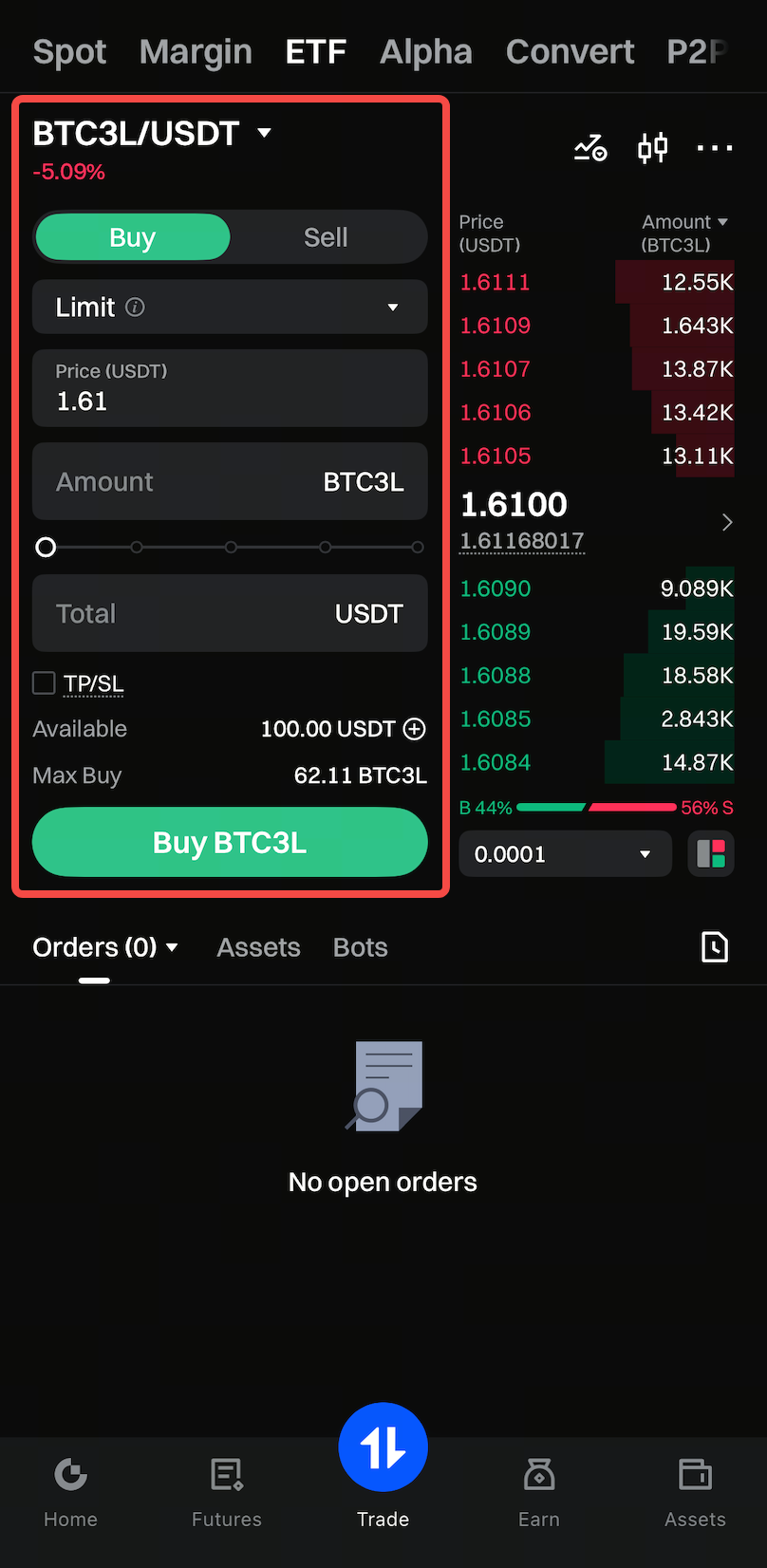
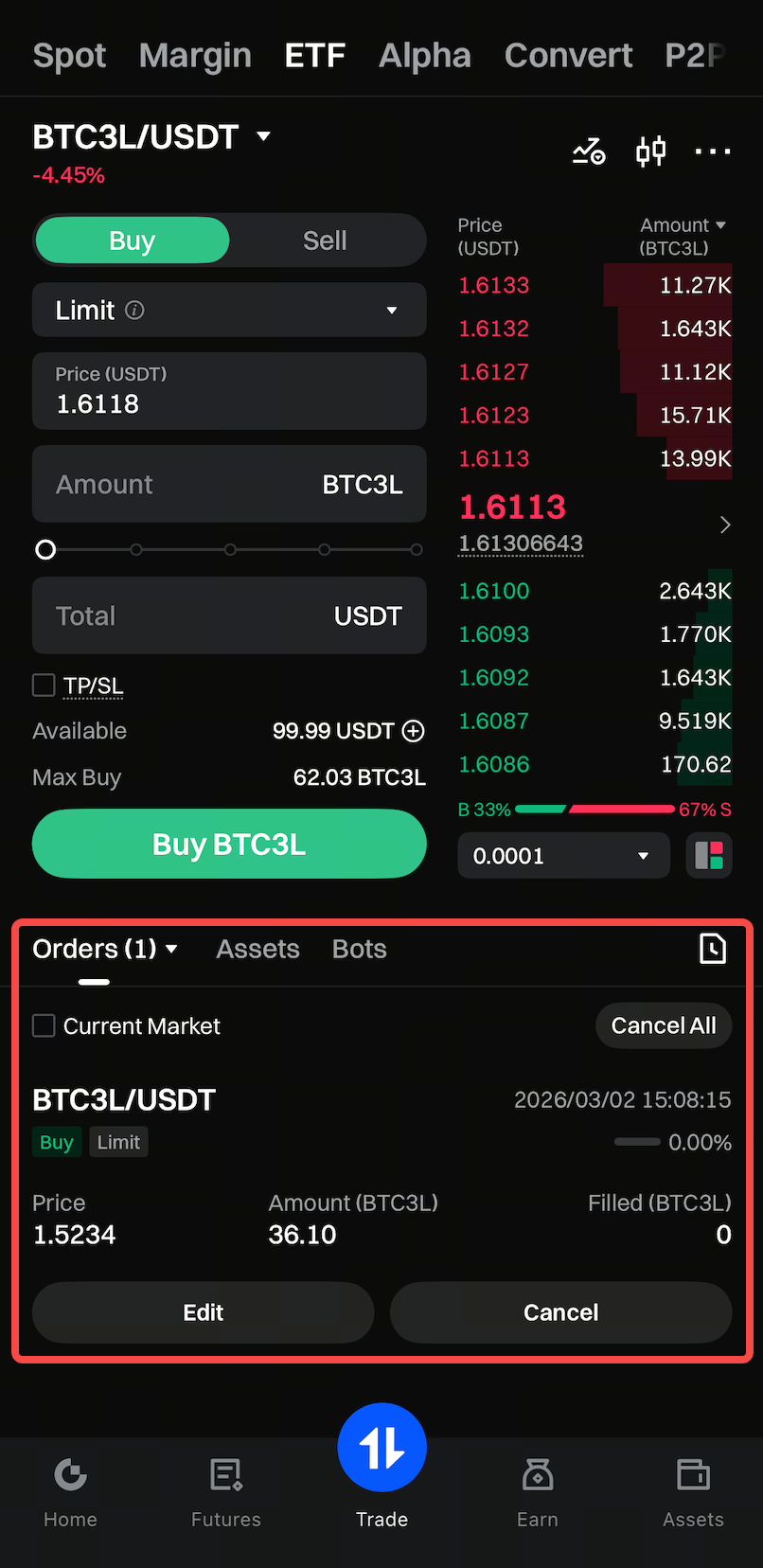
Step 2: On the [trading page], enter the unit [price] and [quantity], and click the [Buy] button to trade.
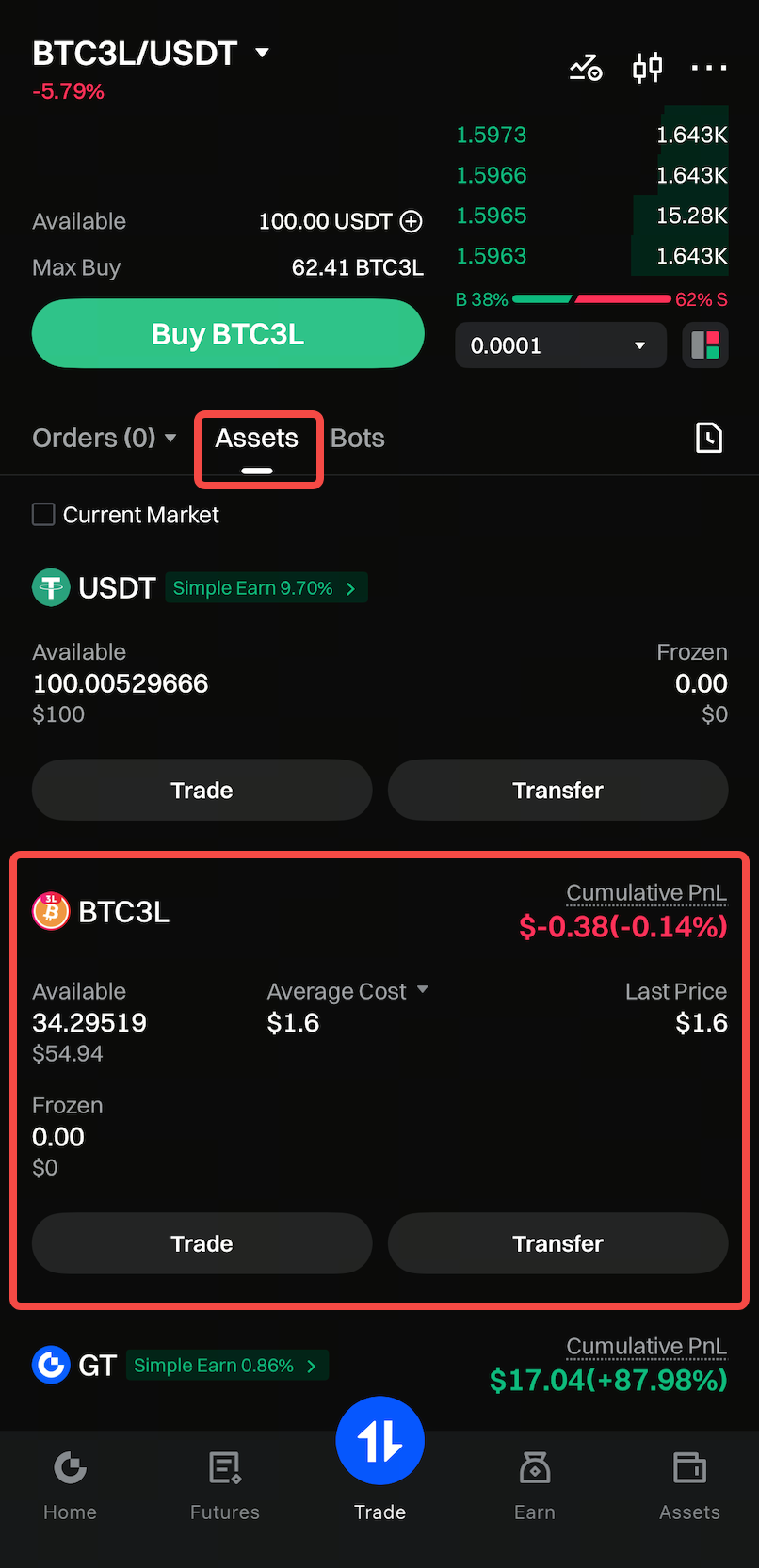
Step 3: For unfulfilled orders, you can query them in the trading panel [Orders].
After the order is executed, you can see the holdings of ETFs under [Assets].