


Gate Square Posting Rules
- KYC (Identity verification) must be completed before posting texts.
- VIP ≥1 can post videos with no asset requirement.
- Posting is limited to 5 posts per minute.
Gate Square Instructions
How to view Square Instructions on the web
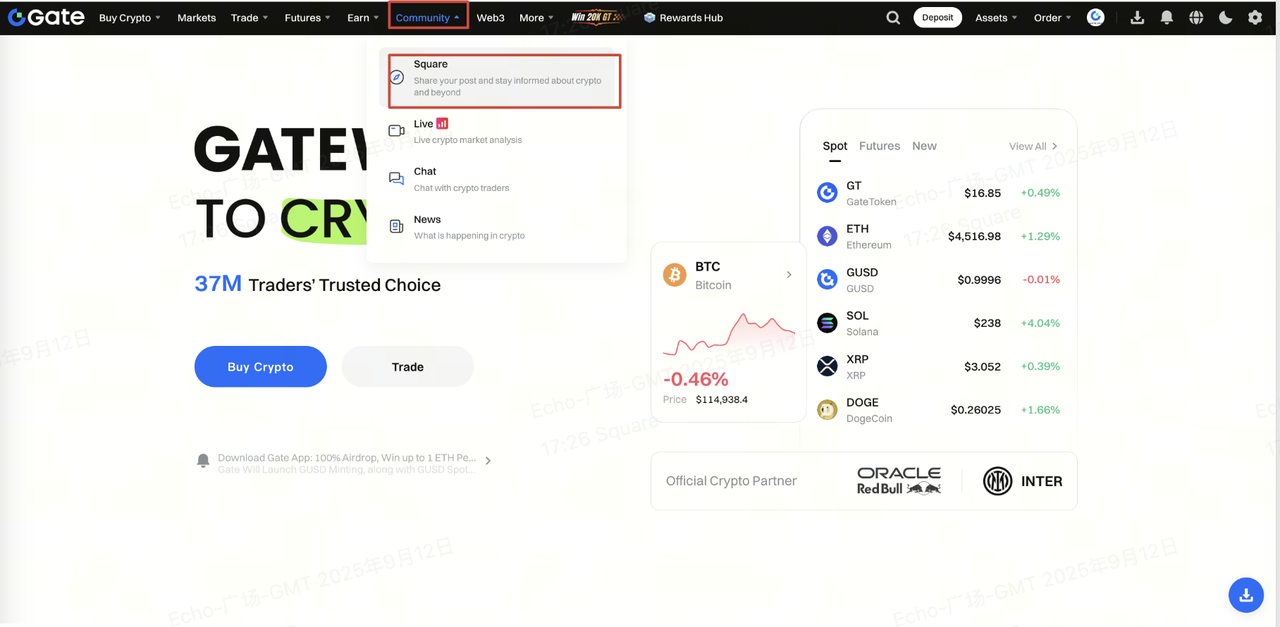
Step 1: Log in to your Gate account on the web. Hover your cursor over [Community] in the upper navigation bar and click Gate [Square].
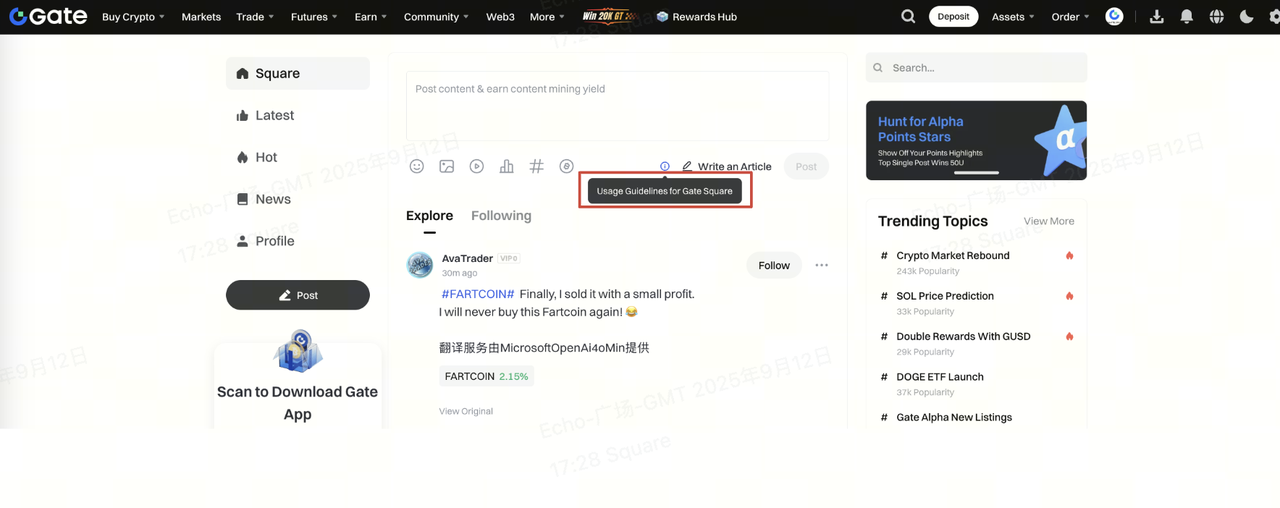
Step 2: Click [Usage Guidelines for Square] to learn more.
Step-by-step Instructions
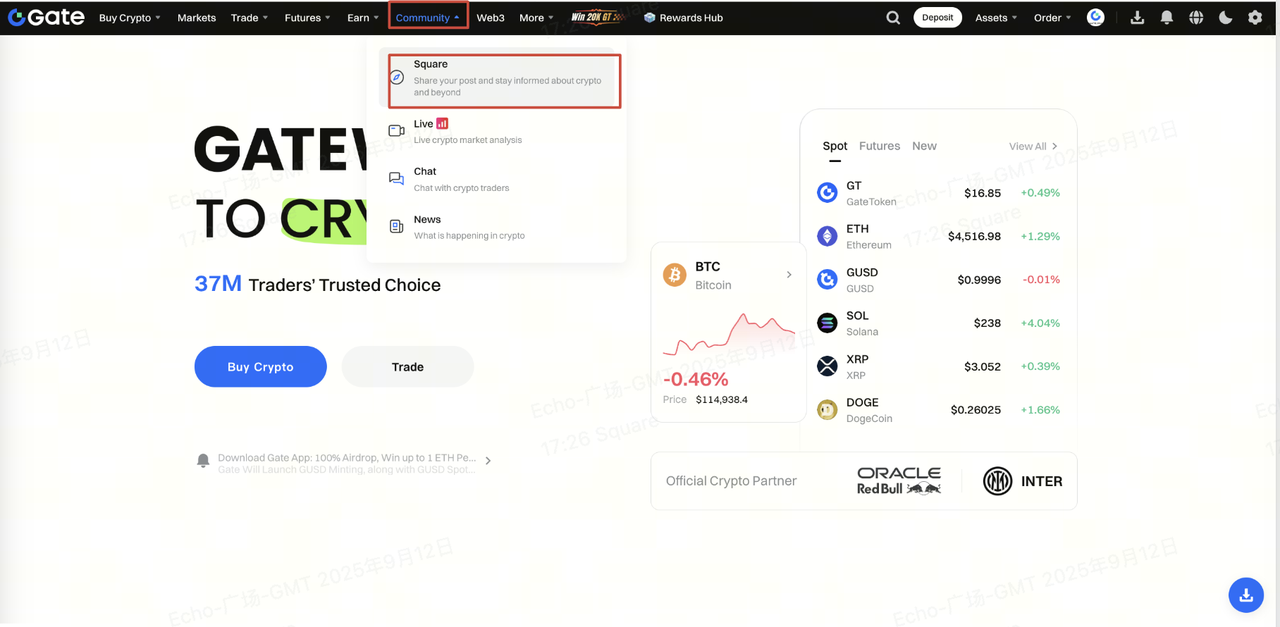
Step 1: Log in to your Gate account. Hover your cursor over [Community] on the navigation bar and click [Gate Square].
Step 2: Here is a detailed explanation of what you can expect on this page:
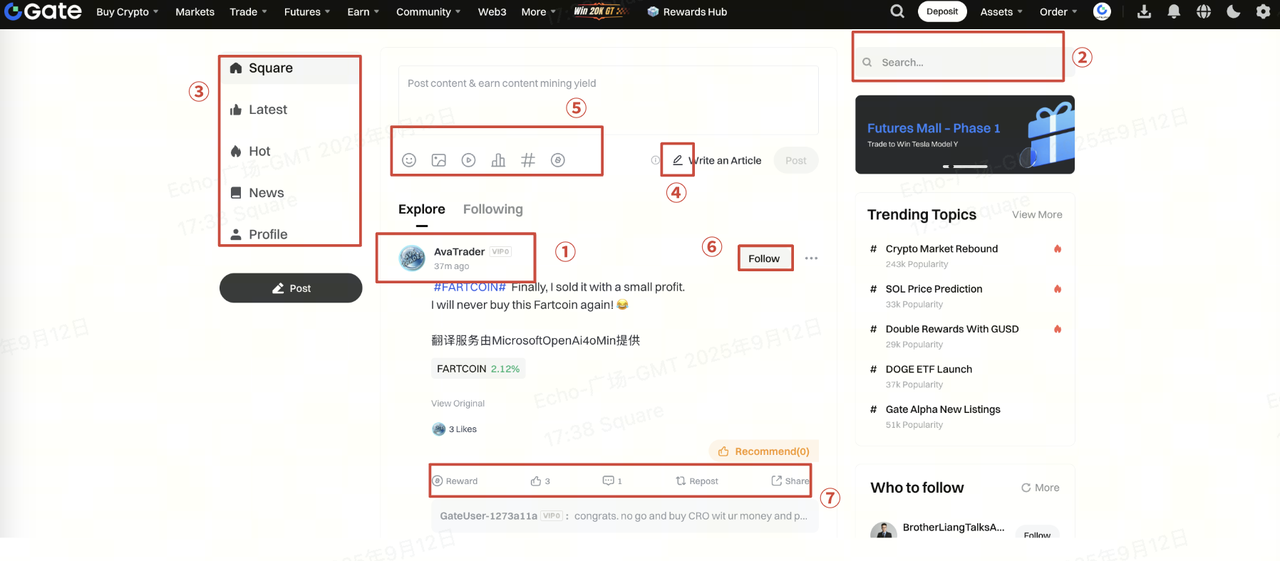
① [Avatar]; [Nickname]; [VIP Level]
② [Search]: Search content of a post or a user nickname.
③ From top to bottom:
- [Square]: A gathering of real-time, public posts published by all users.
- [Latest]: Lastest posts published by all users.
- [Hot]: Hot posts with many likes and comments.
- [News]: Latest crypto news gathered by community.
- [Profile]: Your posts homepage, including your subion, the creation center and posts history.
④ Square posting rules.
⑤ From left to right:
- [Emoji]: Add emojis to your post.
- [Picture]: Upload local pictures (supports a maximum of 9 pictures).
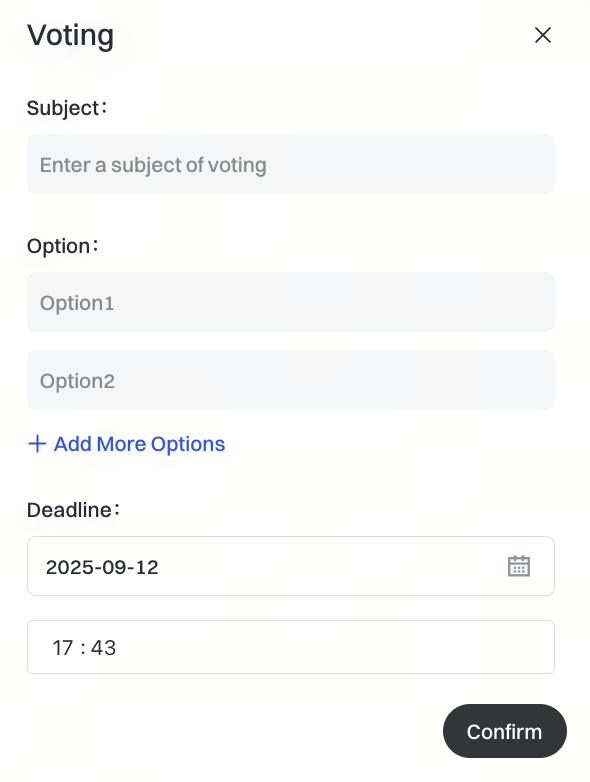
- [Voting]: Initiate a vote.
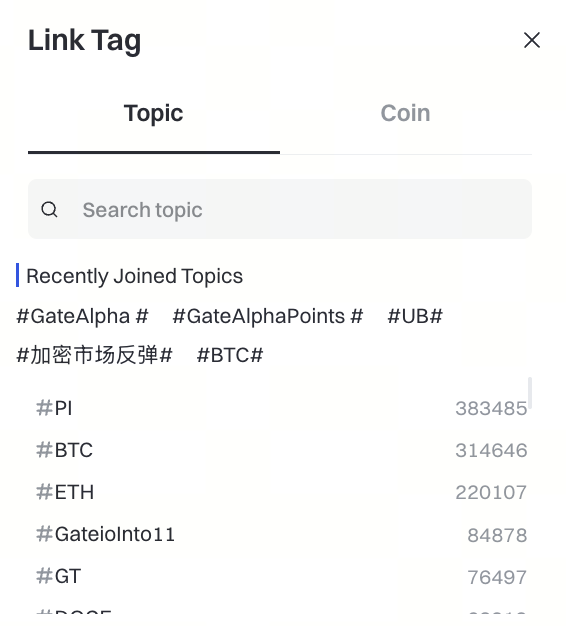
[Topics] : Add a hashtag for a hot topic.
[All People] : Choose who can view: All People or Exclusive Subion.
⑥ [Following/Unfollow]: To follow or unfollow the user of this post.
⑦ From left to right:
- [Reward]: Tip the poster with tokens.
- [Like]: Click this to show that you like this post.
- [Comment]: To publish your comment on this post.
- [Repost]: Click this to repost the post in the community.
- [Share]: To forward this post to others.
Disclaimer
The content provided herein is for reference and educational purposes only and does not constitute any financial, investment, trading, or legal advice, nor does it constitute an offer or solicitation to buy or sell any digital assets. Gate makes no express or implied representations or warranties regarding the accuracy, completeness, or timeliness of the information contained herein. Product features, interfaces, rules, and fee structures may be updated or adjusted at any time. Please refer to the latest announcements and the actual information displayed on the Gate platform for the most accurate details.
Digital asset investments involve significant risk, and prices may fluctuate substantially. You may lose the entire amount of your investment. Please make decisions cautiously based on your own financial situation and risk tolerance after fully understanding the associated risks. If necessary, you are advised to consult an independent professional financial or legal advisor.
For more information about potential risks, please refer to Gate's Risk Disclosure and User Agreement.
