


Passo 1: Navegue até a página de Alavancagem Inteligente
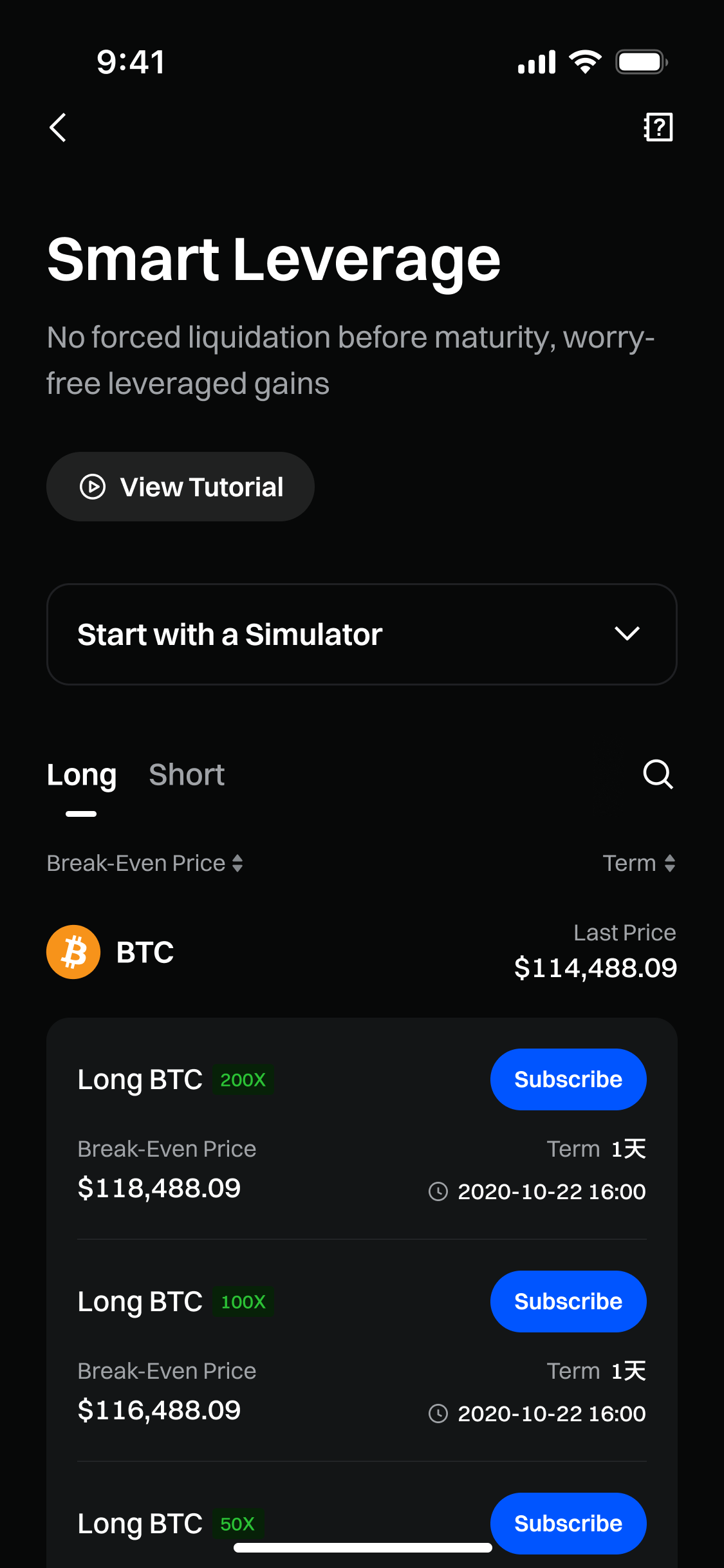
Primeiro, abra o aplicativo da Gate. Na página inicial, selecione Gate Earn. Isso o levará à página Gate Earn, onde você poderá selecionar Alavancagem Inteligente.
Etapa 2: Escolha um Plano de Alavancagem Inteligente
Explore os planos disponíveis com base em Moeda, Direção, Alavancagem, Preço de Equilíbrio e Prazo e selecione aquele que deseja adquirir. Em seguida, toque em Inscrever-se.
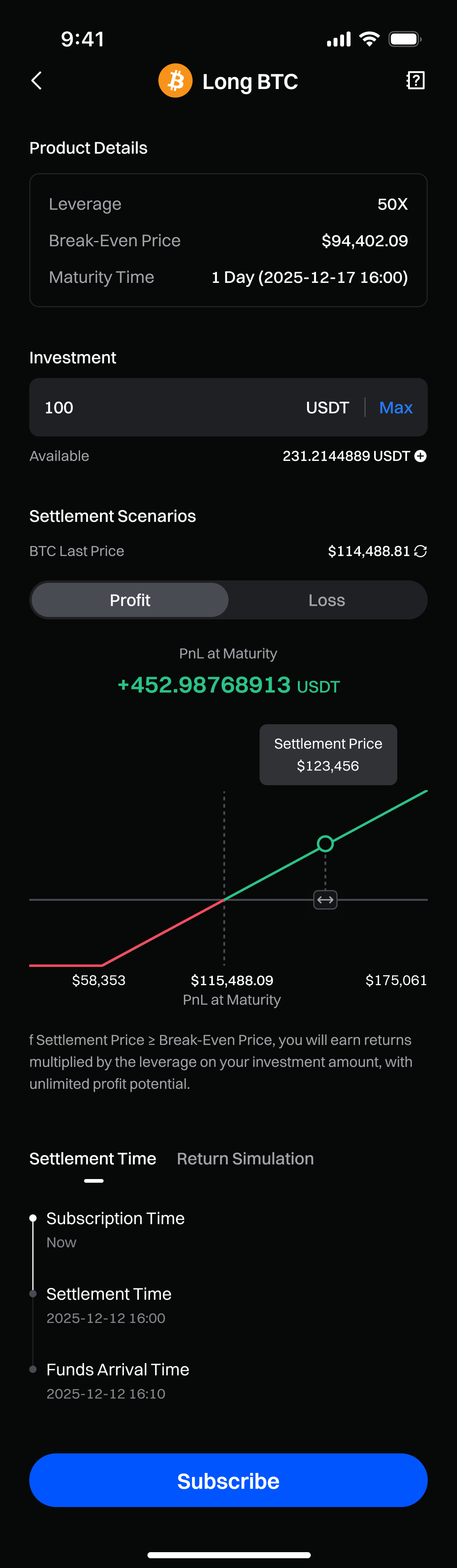
Dica: Use o simulador para estimar o potencial de Lucro e Perda (P&L) selecionando a moeda, indicando a direção e inserindo o valor de investimento.
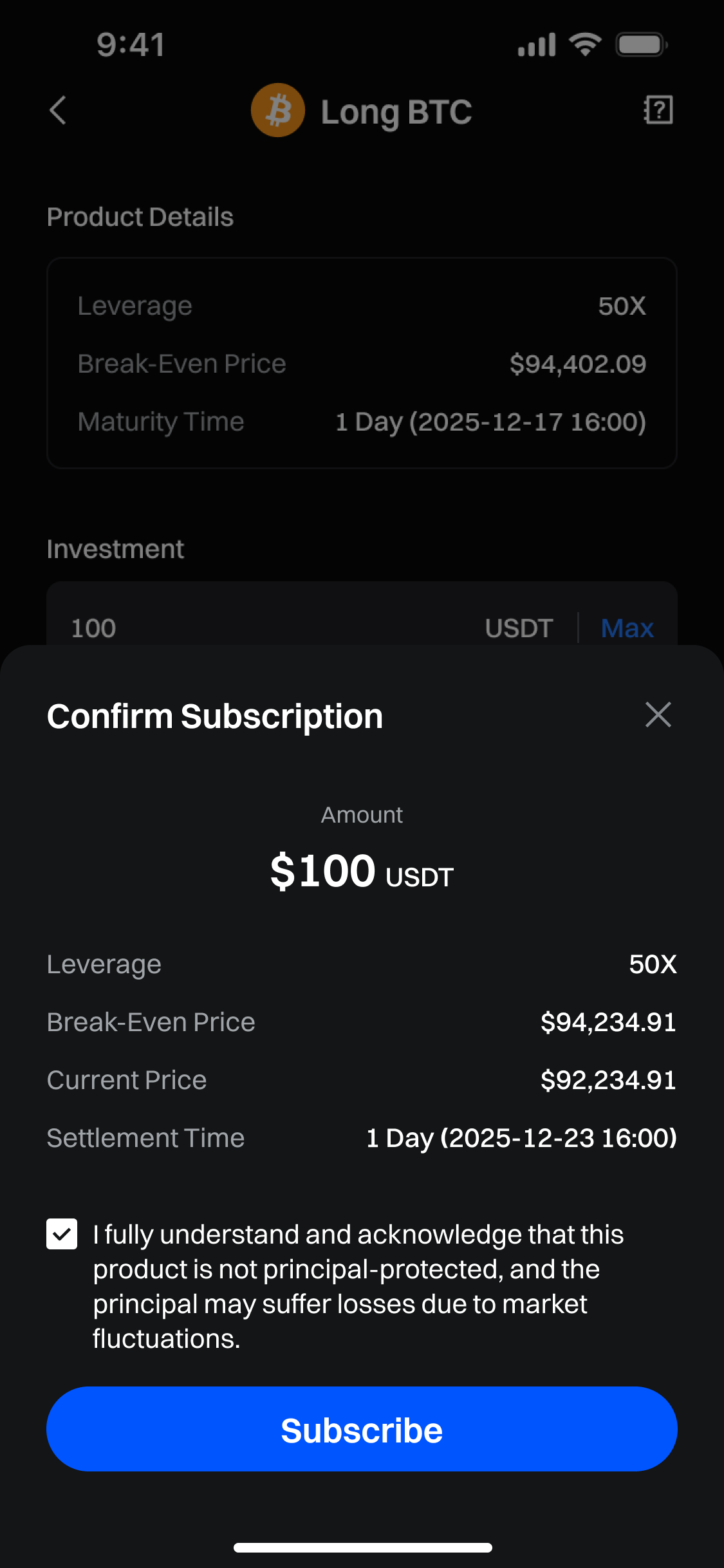
Etapa 3: Crie seu plano de Alavancagem Inteligente
Insira o valor que deseja investir e certifique-se de confirmar todos os parâmetros escolhidos. Em seguida, toque em Inscrever-se.
Etapa 4: Visualize suas ordens
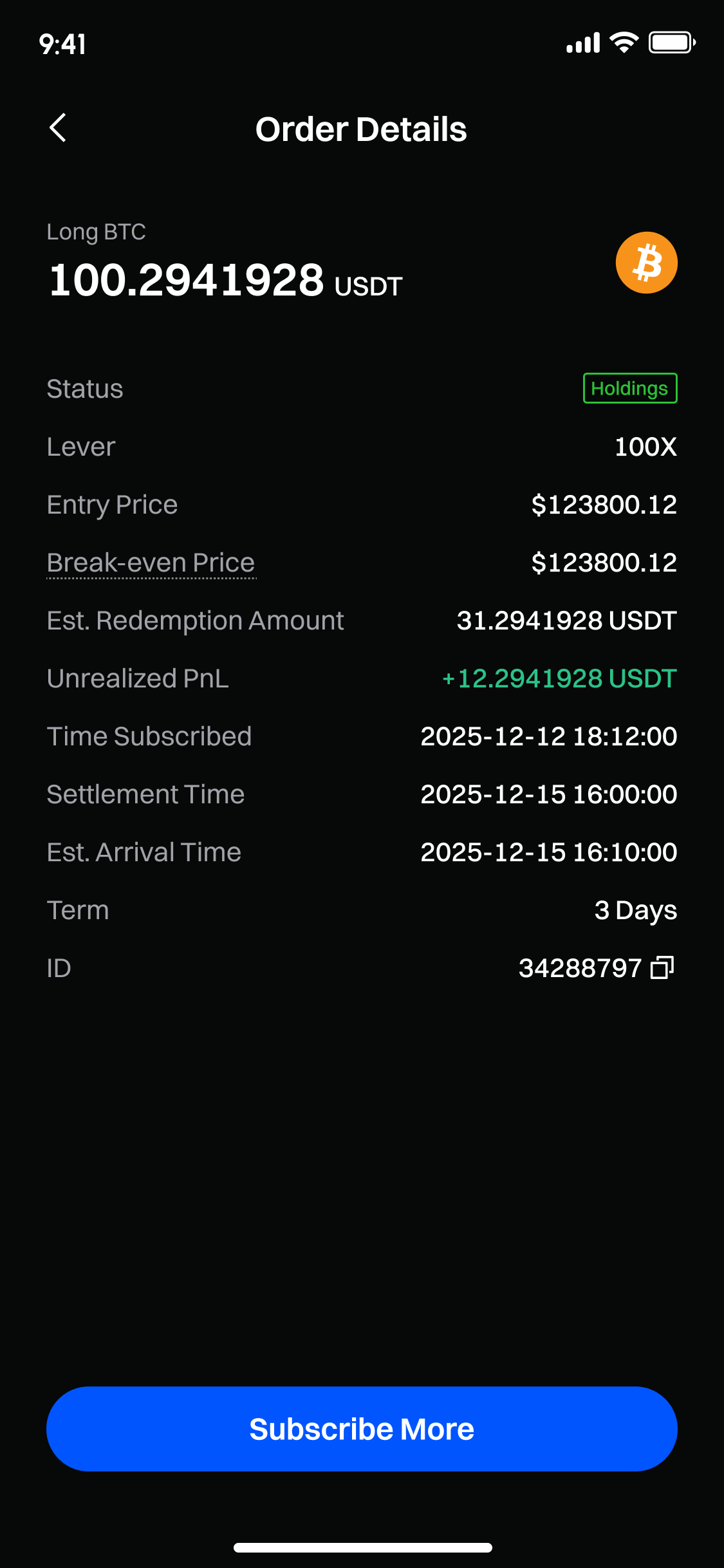
Após a assinatura ser concluída com sucesso, você poderá verificar as informações sobre sua posição na página "Ativos".
Isenção de responsabilidade
O conteúdo aqui fornecido é apenas para fins de referência e educacionais e não constitui qualquer conselho financeiro, de investimento, de negociação ou jurídico, nem constitui uma oferta ou solicitação para comprar ou vender quaisquer ativos digitais. A Gate não faz representações ou garantias expressas ou implícitas em relação à precisão, integridade ou atualidade das informações aqui contidas. Recursos, interfaces, regras e estruturas de taxas dos produtos podem ser atualizados ou ajustados a qualquer momento. Consulte os anúncios mais recentes e as informações reais exibidas na plataforma Gate para obter os detalhes mais precisos.
Os investimentos em ativos digitais envolvem riscos significativos e os preços podem flutuar substancialmente. Você pode perder o valor total do seu investimento. Tome decisões com cautela, com base em sua própria situação financeira e tolerância ao risco, após compreender totalmente os riscos associados. Se necessário, recomenda-se consultar um consultor financeiro ou jurídico profissional independente.
Para mais informações sobre possíveis riscos, consulte a Divulgação de Riscos e o Termo de Acordo do Usuário da Gate.
